 Watchables!
How to play
Gameplay
The active pet
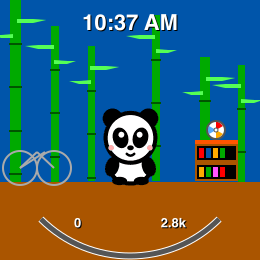
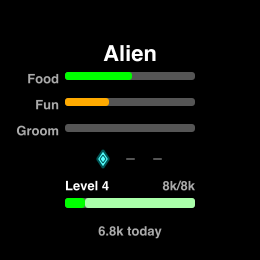
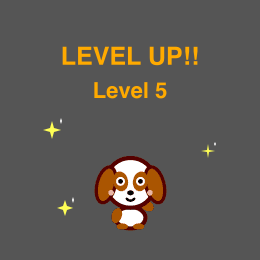
Your movement is the whole game. Steps (or active minutes, or calories) fill the bar at the bottom of your pet's room; a full bar is a level; a level buys a reward. When a level lands the game cheers and opens the reward grid in the same breath, so the celebration and the choice are one screen. Backing out of it spends nothing: a banked level waits on the pet's stats page until you want it. The pet takes care of itself while you're away, and is earned by moving. Device history is scanned for the past week, so if you don't check it at least once a week, you'll lose credit for older activities.
Activity level
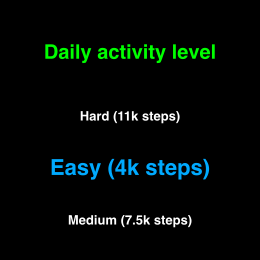
To create a balanced-feeling game, the difficulty of earning rewards is based on your activity level. This is asked at the beginning, and can be changed at any time in Settings. There is a suggested daily step count for each difficulty, but difficulty scales all earn modes: steps, active minutes, and calories:
| Pace | Steps | Active minutes | Calories |
|---|---|---|---|
| Easy | 4k a day | 20 a day | 200 a day |
| Medium | 7.5k a day | 32 a day | 400 a day |
| Hard | 11k a day | 60 a day | 700 a day |
Minutes are counted as moderate ones, and a vigorous minute counts as two. Calories means active calories: simply being alive never feeds your pet. The three ways of earning are tuned so that the mode that suits your body is the fastest one for you: steps for walkers, minutes for runners and cyclists, calories for anyone who would rather track burn.
What levels buy
Below is an example progression. Currently, there are 30 levels of rewards to earn in total, but that takes quite a while.
Getting access to all play modes for two pets, including sleepover, is a good place to start:


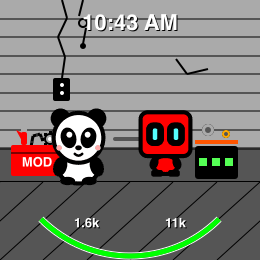
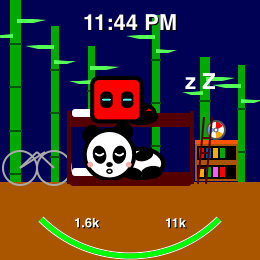
The diagram below shows how play modes are unlocked by combining rewards on multiple pets:
Share a pet with a friend
Your pet can visit a friend’s watch. Any watch, anywhere, with no phone pairing and no accounts. Turn on Friend share (it is a question during setup, and a row in Settings any time after) and a Share row joins the care menu.
- To send a pet: Share → “Share [your pet]”. The watch shows a code made of four little pictures. Hold it up so your friend can copy them. Codes are single-use and only last a couple of minutes, so this is a together-in-one-room thing.
- To receive one: Share → “Receive guest”, then pick the four pictures your friend is showing you. Their pet moves in like a playdate. You can feed it, play, ride and groom together, it sleeps over if your pet owns a bunk bed, and End playdate sends it home whenever you like (bedtime does too).
- While your pet is visiting, its house at home stands empty with a note, and calling it back is always one press away (Return home in its empty room). Its meters freeze while it travels, so it never comes home starving.
One honest detail the watch also tells you at the moment it matters: what travels is a copy. Calling your pet home doesn’t take it away from your friend: their guest stays until they end the playdate. Your pet, its levels and its rewards never leave your watch; the code carries a snapshot and nothing else, and nothing about it is stored anywhere once the visit begins.
Birthday parties
Every pet has a birthday, and it is the day of the month it hatched on. There is no year and no age: a pet hatched on the 12th simply has a birthday on the 12th of every month, for as long as you keep it. An egg hasn’t got one yet; it gets its day the moment it hatches, and it keeps that day for good, even if you send it back to its egg later on.
A birthday on the 29th, 30th or 31st falls on the last day of any month that has no such date, so the 31st is the 30th in April and the 28th in February. Nobody ever misses a birthday.
- Opening the game on the day is the invitation, and it is the only one. It says so straight away: “It’s [pet]’s birthday!”, with Have a party! and Not now underneath. Saying no costs nothing, and it settles the question until the next time you open the game. Come back the same day and it asks again. There is no party row in the care menu and no other way in, so on a birthday, and while a party is running, the care menu reads exactly as it does on any other day. Press Visit during a party and the game simply says the host is having one. It is one get-together at a time.
- The birthday pet hosts, in its own room: it is their day, and they don’t go anywhere. The game only asks when there is a party to be had: the host needs its toy, so there is something to do, and somebody has to be free to come.
- Guests ride over. Any other critter that has hatched and earned its Ride can come. Three guests is the most a room holds, which makes four critters together. If three or fewer can come, they all do, and the party starts right away. If more can come, you pick: the neighborhood comes up titled Who’s coming? and you mark the ones you want. The third mark asks “Invite [pet], [pet], [pet]?” with Let’s party! and Change guests. Change guests takes you back with all three still marked, so you can swap one. A cell that takes no mark is one that can’t come: an egg, a critter with no way to get there, the host, or a fourth guest.
- There is cake, and a stack of presents beside it, and everything you do at a party you do for everybody in the room. Feed once and they all eat; groom once and they all get brushed; play once and they all play with the host’s toy. Ride takes the whole party out on the host’s trail together, strung out along it, each on its own ride, and when the ride ends the party is still going.
- A party keeps going. Close the game and it is still there when you come back: everybody in the room, cake and all.
- Ending it. Two things end a party. Bedtime is one: the guests go home when the night starts, the same as a playtime visit. The other is taking them home yourself, one at a time. Open the Neighborhood and pick a guest and you get its own house, standing empty while it is away (its toy on the shelf, nothing parked outside, nobody home), with Return home in the menu. That one rides back, the party carries on without it, and when the last guest goes home the party is over. The host hasn’t got a Return home of its own: it is already home. Either ending costs nobody anything. The guests go back to their own houses with their meters exactly as they were, the same as a playdate ending.
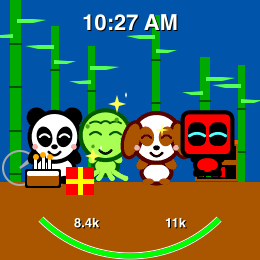
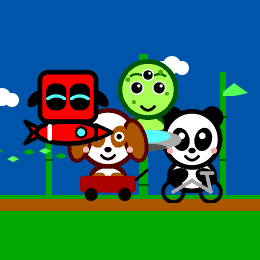
If two critters share a day, the game asks whose party it is, and then offers to remember the answer: Yes keeps that one on the day from now on and moves the others to the next free one, Just today settles it for this month only.
A party is a good time and nothing more: no levels, no gifts, no faster earning. Four critters fed at once is exactly four critters fed. The diary writes the day down (threw a birthday party, shared birthday cake, waved everyone goodbye), which is the whole of what a party leaves behind. Parties land on Garmin first. They come to Apple Watch and Wear OS with the next update.
The eight critters
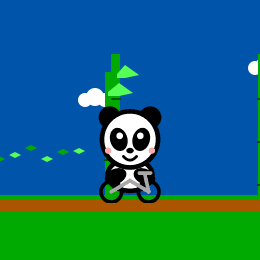
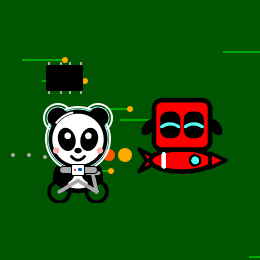
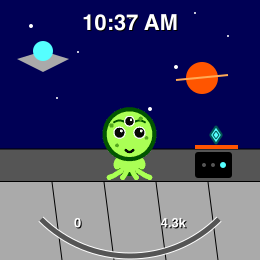
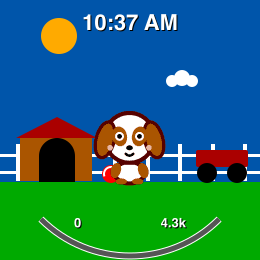
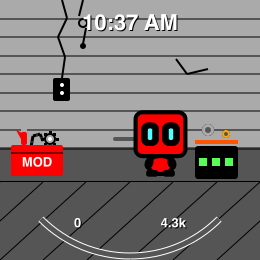
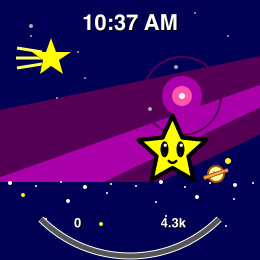
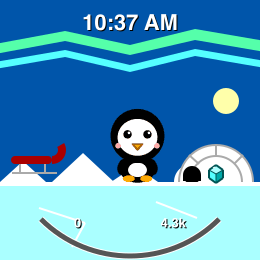
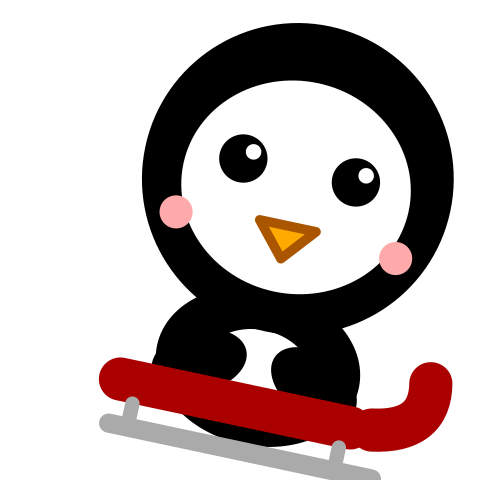
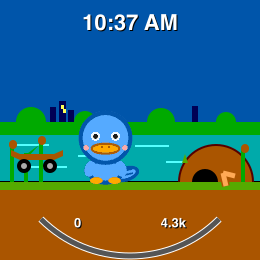
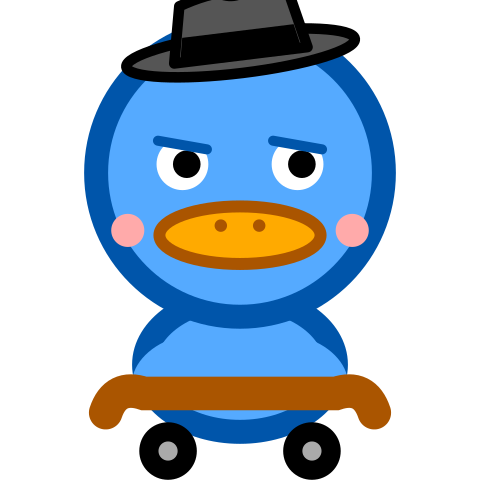
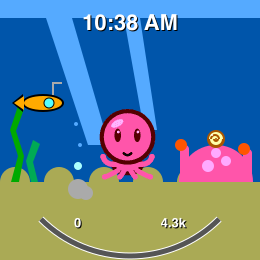
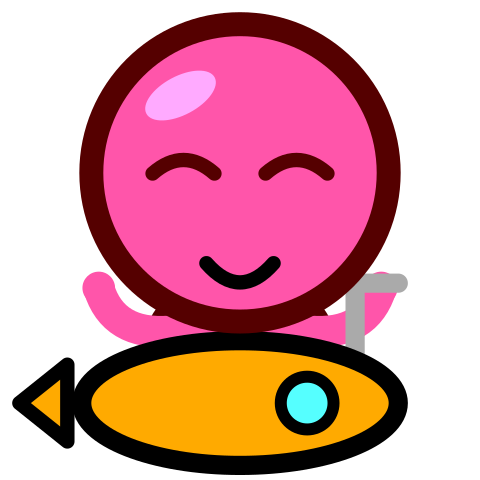
Every critter plays exactly the same. Nobody is stronger, faster or rarer. What differs is where they live, what they throw around, and where a ride takes them: the panda’s bamboo trail, Sparky’s circuit board, the penguin’s ice, the octopus’s seafloor, and the platypus’s city at dusk, which it skates in a fedora.










Controls
The game screens
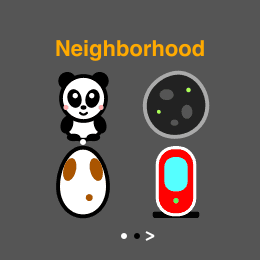
The game has three levels of depth. The neighborhood is the top, where all your critters live. A critter’s room is one level in from there, and its stats, its diary and the care menu are one level in from the room.
Back goes up a level, and it is the only way up. In a room, Back takes you out to the neighborhood; in the neighborhood there is nothing above, so Back closes the game. Leaving a room on purpose is Back twice. Going deeper is your watch’s natural selection or activation button, and your watch’s swiping or up/down mechanism moves between the screens that sit at the level you are already on: the room, its stats and its diary. That run has two ends. Paging up from a room does not reach the neighborhood any more, because one way up is easier to learn than two.
Once you are in the neighborhood, that same up/down mechanism turns the neighborhood’s own pages, and those pages loop: page past the last one and you are back at the first. To come back down to a room, choose a critter.
Whenever you open the game again you come back to the room you were last watching, never to the neighborhood, even though that is where you left from.
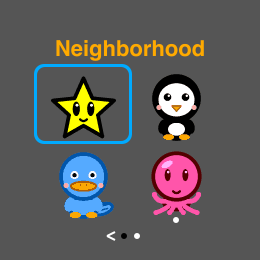
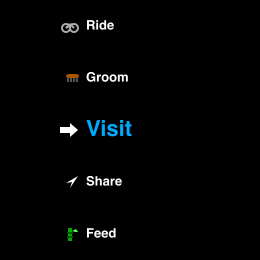
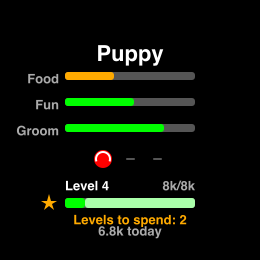
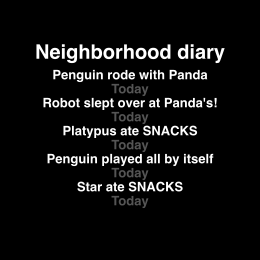
Garmin watch controls
- Start/Enter: select. Open the care menu from the room, choose the focused row or cell.
- Up / Down buttons: move between the room, its stats and its diary, and roll through menus. In the neighborhood they turn its pages, which loop.
- Back/Lap: go up a level. Out of a menu or a page to the room, out of a room to the neighborhood, and out of the neighborhood to close the game. Mid-ride it brings your critter home first, so a ride is never cut short by accident.
- Press and hold Up (the left button): open Settings, from anywhere in the game. It is the same hold your watch uses everywhere else, and it is deliberately not a row on the care menu: a small person tapping through their pet should not land in Settings by accident.
- In the grids, Select rings a cell and Up/Down walk the ring in reading order; walking off the end of a page turns to the next one, and walking off the last cell of all comes round to the first.
- On touch Garmins, a tap selects and vertical swipes roll the menus. Buttons always work too.
Apple Watch Controls
- Tap: select. In menus, the tap acts on the row under your finger.
- Digital Crown: roll through the menus.
- Swipe up / down: move between the room, its stats and its diary, and roll the menus. In the neighborhood they turn its pages, which loop.
- In the grids there is no ring to walk. Tapping a critter is choosing it, and a sideways swipe turns the page.
- Swipe right: back, exactly like the Garmin Back button. Up a level, and the only way out of a room to the neighborhood. (An Apple Watch app is never closed from inside it. Use the side button or the crown, as you would in any other app.)
Wear OS Controls
- Tap: select. In menus, the tap acts on the row under your finger.
- The crown or rotating bezel: roll through the menus, on the watches that have one.
- Swipe up / down: move between the room, its stats and its diary, and roll the menus. In the neighborhood they turn its pages, which loop.
- In the grids there is no ring to walk. Tapping a critter is choosing it, and a sideways swipe turns the page.
- Swipe right, or your watch’s own Back gesture: go up a level, exactly like the Garmin Back button. Out of a menu or a page to the room, out of a room to the neighborhood (the only way there), and out of the neighborhood to close the game.
Settings
- On a Garmin watch: press and hold Up, the left button, from anywhere in the game. Back returns you to your pet’s room.
- On Apple Watch and on Wear OS: the Settings row at the bottom of the care menu (tap your pet, then roll to the end of the list).
Every option lives on the watch itself. There is no phone app to set anything from. Rows that toggle say what they are set to, and selecting one changes it on the spot.
| Row | What it does |
|---|---|
| Earn | What fills the bar: steps, minutes or calories. Selecting cycles through the three. Your progress comes with you: each way of earning remembers what it has already counted, so nothing is lost and nothing is counted twice. |
| Pace | How much movement a level asks for: easy, medium or hard (the amounts are in Activity level). Selecting cycles. Changing it re-prices the level you are filling now; levels you have already banked stay yours. |
| Recover a day… | A short list of your recent days that have minutes on them. Pick one and those minutes are credited just as if you had opened the app that day. It appears on Garmin watches, in Active minutes, for players updating from an older version, and it lets itself out again after about a week. |
| Sound | Chirps when you feed, play, groom or celebrate, on watches with a beeper. Never a sound you did not ask for. |
| Vibes | A short buzz on those same moments. Same rule. |
| Friend share | On or off: whether the care menu offers sharing pets with friends. Off by default; the Share row exists exactly while this is on. On watches that support sharing. |
| Notify | Should the watch tap your wrist when a pet is hungry, bored or needs a brush, or just handled it itself? Always (a tap as it happens), fewer (at most two round-ups a day, late morning and evening), or off. Selecting cycles. It is asked once during setup, it never buzzes at night while the pets are asleep, and there are no streaks, no reminders and no “your pet misses you”, ever. Only on watches that can deliver notifications. |
| Crash reports | Anonymous technical reports, so we can fix crashes we would never otherwise hear about. No personal or health information, ever, and it is off with one press. The details are in the privacy policy. |
| Play Guide | A link to this page, and underneath it the version of the game on your watch. Handy to mention if you ever write in. |
| Re-allocate… | Changed your mind about a reward? This hands every reward you have bought back to the shop so you can choose again, for a fee of 15% of what you spent. It shows you the exact numbers and asks before anything happens, and it appears only once you have something to return. |
| Start over… | Everything back to scratch: pets, levels, diary, day one again. It asks first, and there is no undo. Always the last row. |
Questions
My pet is asleep
Isn't it adorable?! Pets sleep at night and wake in the morning, all on their own. A sleeping pet is fine! Your movement still counts while it dreams.
Also, there is no penalty to wake it up to give it some love. If it is hungry or wants to play, or if you just want to interact, it will go back to sleep shortly after the activity is over.
My pet’s room is empty
Then it is out visiting. A pet you send calling rides over to the friend’s house and stays there until you bring it back, and its own room keeps standing while it is away, its toy on the shelf, nothing parked outside, nobody home. Nothing is wrong, and nothing is lost. A critter that has gone to somebody’s birthday party leaves the same empty house behind it, and Return home brings it back the same way.
To look in on it, open the Neighborhood and pick the friend it went to see: that room has both critters in it. To bring it back, open the care menu in either room and choose Return home (in the empty one) or End playdate (in the one they are sharing). It is the same ending, whichever side of the street you are standing on. A playtime visit also ends by itself at bedtime; a sleepover is the one that stays the night. And once it is bedtime, a sleepover is the only kind of visit there is: pick a friend who owns a bunk bed and your pet goes straight over for the night, no question asked. Pick one who doesn’t and the game says so, because there would be nowhere to sleep. Come back in the morning, or go and earn that friend a bunk bed. And it is one playdate at a time: while two critters are together, nobody else can start a visit. The game will say so, and end the playdate first if asked.
Do I have to feed it?
No. The pet looks after itself while you are away and it never gets sick. Caring for it is a treat, not a chore, and the game will never guilt you.
Accounts and backups
There are no accounts and nothing to sign into. Your game lives entirely on the watch, which also means it stays on that watch: a new watch starts a new neighborhood.
I didn’t earn points for my activity
The game reads about a week of your watch’s own history every time you open it. That is the whole rule, and it is a generous one: days you never opened the app still count, so a big weekend is safe even if you do not look in until Tuesday.
It is also the limit. Activity older than that week cannot be recovered, not by us, not by the app, not by anything on the watch. The history the game asks for simply does not go back further. So the one habit worth having is opening your pet at least once a week; do that and you will never lose a thing.
That rule holds for every mode on every watch: steps, calories and active minutes all back-credit day by day. Active minutes used to be the one exception on Apple Watch, counted by the week, so a week that turned over while the app was closed started fresh. They are not any more.
A particular Apple Watch case: the pet quietly stops growing. Check the Health permission first. The game reads your movement from Health, and it asks for exactly one thing, the metric you chose: Steps, Exercise Minutes or Active Energy. The ask appears on your pet’s screen when you finish setup, and again the first time you switch to a new mode.
Here is the important part: if you decline, the app has no way to know. Apple designed Health privacy so that “no permission” and “no movement” look identical to an app, so Watchables cannot warn you or nag you. The pet simply stops growing, quietly, until access is granted. Open the Settings app on the watch, go to Privacy & Security → Health → Watchables, and allow the category for your current mode (or all of them). Your movement counts again right away.
The same case on Wear OS. There the game reads your movement from the watch’s own activity sensing, and Wear OS asks for that permission once, on your pet’s screen, the first time it is needed. A declined permission looks exactly like a still day to the app, so again the pet simply stops growing rather than nagging you. Open the Settings app on the watch, go to Apps → Watchables → Permissions, and allow Physical activity.
One more Wear OS rule worth knowing: its week of history starts the day you install the game. Garmin and Apple Watch can look back through a week that was already sitting on the watch; Wear OS keeps a day book of its own from the install forward, so a fresh install has nothing yet to back-credit. It fills in from your first day with it, and from then on the weekly rule above is the same one.
And if the bar is moving but slower than you hoped, remember the pace: a level is meant to take days of ordinary movement, and Settings → Pace makes a level cheaper if the one you picked turned out to be someone else’s.
If a day you were proud of went missing and it genuinely stings, write to support@watchables.fit and tell us about it. There is a human on the other end.
Stores and refunds
Watchables comes from the Apple App Store, Google Play and the Garmin Connect IQ Store. There are no subscriptions and no in-app purchases. Anything to do with payments or refunds is handled by those stores under their own policies, so start with the store you got it from. If you are stuck, write to us and we will point you the right way.
Something confusing that isn’t covered here? support@watchables.fit takes bug reports, questions, and pictures of your pet doing something great.
Crash reports
With your permission the app sends anonymous technical reports so we can fix crashes, with no personal or health information, ever. Toggle it any time in Settings → Crash reports. The details are in our privacy policy.